Awesome Error Tracking Solution for Meteor Apps with Kadira
Everybody hates errors – whether it’s in a Meteor app or not. Unfortunately, errors are something we can’t avoid. So we must track and handle errors even though, we have tested our app a lot.
In the recent past, technology has been changed rapidly. But, how we track and fix errors hasn’t changed that much specially for apps running live on production.
Take a look at the following process. It’s the process we often used to track and fix errors.
- Capture errors via either logs or using some third party web service.
- Look for error message and stack trace.
- Try to locate the relevant place in the code.
- Then try to fix it.
I don’t think I need to talk more about this because we all follow the same process.
Client Side Errors
Managing server side errors is pretty easy compared with client side errors. For server errors all we need to focus on our servers. But tracking client side errors is not that simple.
Also, we can’t really depend on stack traces because of the minified code. Even though we capture errors, it’s not easy as server side errors due to the vendor specific issues and constraints.
Let’s fix this!
So, we’ve decided to find a cure for this and found a way.
What we are doing is pretty simple. Along with capturing the error, we also capture the context and events related to the error. Then you can reproduce them in your development environment and identify and fix any issues quickly.
Check following error trace which has been captured with Kadira.
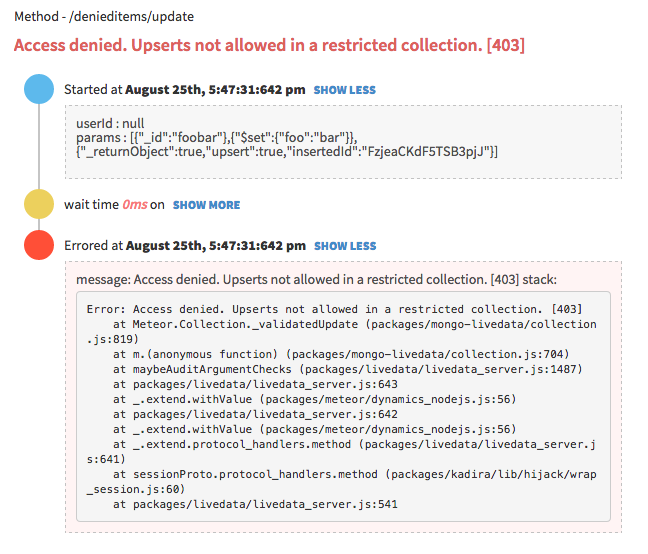
It contains:
- input parameters for the error;
- user, who’s got this error;
- all the DB, HTTP and other events that have occurred; and
- the error message and the stack trace.
Now it’s super-easy to fix the error since you can clearly see what cause the error and it’s context. We track all kinds of errors including pubsub, method, uncaught exceptions and internal Meteor errors.
What About Client Side Errors?
We do the same for client side errors as well. Look at the following error trace.
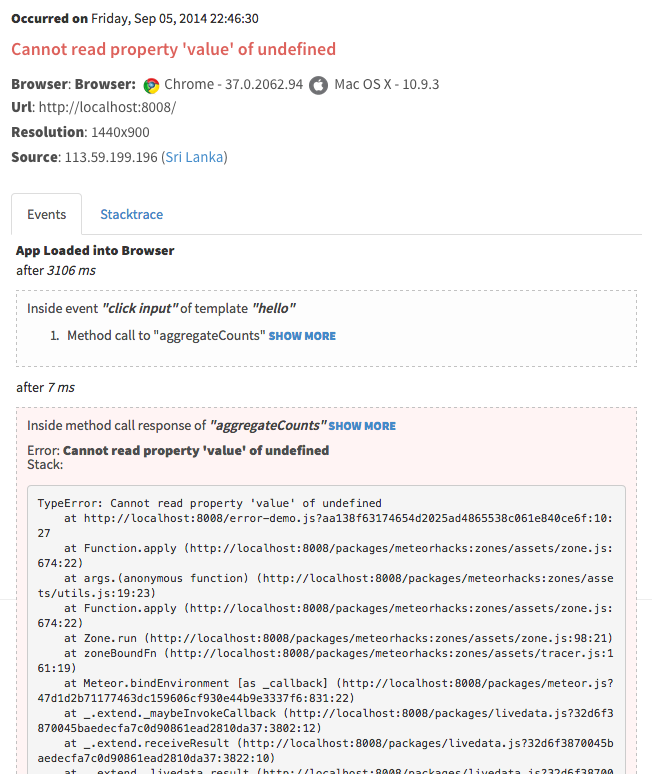
It has:
- browser information;
- user information;
- all the Meteor method calls, subscriptions, sessions and all related events that have occurred;
- a complete flow of the error starting from the page load event; and
- the actual error message and stack trace.
Now I think you know what to do with this information.
we track events using client side zones. So, you need to add
zonespackage into your app in addition tokadira. Otherwise, you can’t see events.
Public Beta
Today, we are happy to announce the public beta of the Kadira’s Error Tracking solution and invite all of you to start tracking errors with Kadira.
We’ve worked so hard on this over the last few months and a lot of people have helped us to test our error tracking solutions—thank you!
Simply update the kadira smart package and visit Errors section on the Kadira UI.
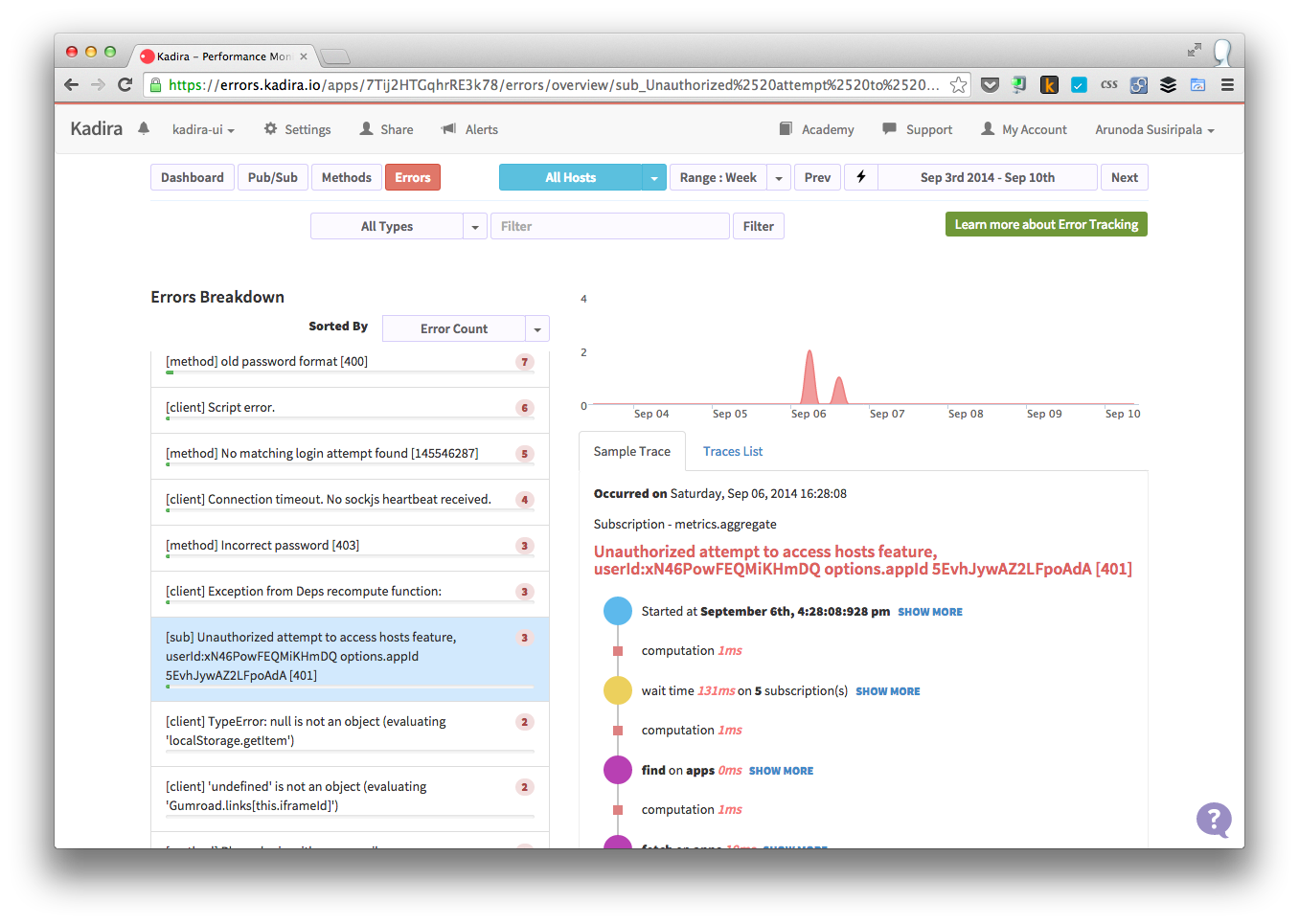
Error Tracking is free and unrestricted throughout public beta period.
Give it a try and let us know how it goes.